Scanned Document Enhancer
Turn photos of paper into clean, flat scans. Auto-crop and correct the perspective, straighten, whiten the background, boost contrast and export to PDF — all processed privately in your browser.
Pages
Tap a page to edit it, then drag a thumbnail to reorder.
Preview
Crop & Straighten
Drag the corner handles onto the document's corners, then apply to fix the perspective and cut the background away.
Enhance
Adjustments apply to every page. Pick a preset or fine-tune the sliders.
Restores fine detail and removes noise with an on-device AI model. Downloads once, then runs privately in your browser.
Export & Download
Applies to JPG output. PNG stays lossless.
Everything is processed on your device — nothing is uploaded.
Print the enhanced pages straight from your browser, one or two per sheet.
Why Use a Scanned Document Enhancer?
A photo of a page carries shadows, tilted angles and a messy background. This tool turns it back into a clean, flat document you can read, print or archive.
- Fix the perspective so a page photographed at an angle looks perfectly flat.
- Whiten the paper and remove shadows for a tidy, professional result.
- Turn a stack of photos into a single multi-page PDF or a ZIP of images.
- Read receipts, notes and forms, then use them for archiving or OCR.
How to Enhance a Scanned Document
 1
1
Add your pages
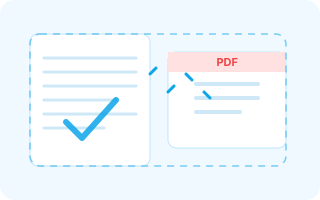
Drop photos or a PDF, or click to browse. Every page gets its own thumbnail so you can fix them one by one.
Tip: photograph the paper flat, with clear contrast between the page and the surface behind it.
 2
2
Crop and enhance
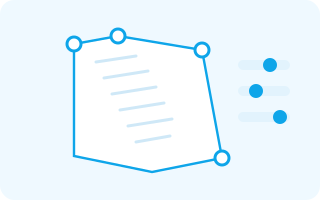
Drag the corner handles onto the document, straighten it, then cut the background away and whiten it. Fine-tune brightness, contrast and sharpness to taste.
Tip: the Document preset turns a photo into a crisp black-and-white copy in one click.
 3
3
Export as PDF or image
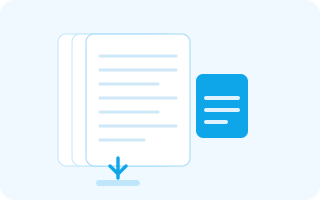
Save the current page, download every page as a multi-page PDF, or grab all the images in a single ZIP.
Tip: a multi-page PDF is the easiest way to archive or email a scanned document.
Frequently Asked Questions
Is this document scanner free?
Yes. Enhance and export as many documents as you like, with no account, no signup and no watermark.
Are my documents uploaded to a server?
No. Every pixel is processed locally in your browser, so your files never leave your device.
Can I import a PDF?
Yes. Drop a PDF in and its pages are rendered to images that you can crop, straighten and enhance like any other page.
Which formats can I export?
Save a single page as PNG or JPG, or download all pages together as a multi-page PDF.
How do I fix a photo taken at an angle?
Drag the four corner handles onto the corners of the document and apply — the perspective is corrected and the background is cropped away.
What does the Document preset do?
It removes shadows, whitens the paper, lifts the contrast and turns the page into clean black text on white — ideal for archiving or OCR.
Enhance Your Scanned Documents
Get crisp, flat, ready-to-share scans in seconds — free, private and unlimited.
Enhance a Document