PDF to JPEG Converter
Convert each page of your PDF into high-quality JPEG images.
Your PDFs
Add PDF files. Every page becomes a JPEG.
Pages
Click a page to include or skip it. Use the buttons to select in bulk.
JPEG options
Summary
Done
Your JPEGs are ready to download. They never left your device.
Why Convert a PDF to JPEG?
JPEG is the most widely supported image format for sharing and uploading.
- Send document pages through apps and sites that only accept JPEG uploads.
- Post scanned or designed pages directly on social media and marketplaces.
- Attach a single page to an email without sending the whole document.
- Archive photo-heavy documents in a universally readable image format.
How to Convert PDF to JPEG
 1
1
Step 1: Upload Your PDF
Drag and drop your PDF into the upload area or click to browse. One file is all it takes, and files up to 500 MB are supported.
Tip: JPEG is a great all-round format, but for pages full of fine text, PNG keeps letters even sharper if you also want pixel-perfect text.
 2
2
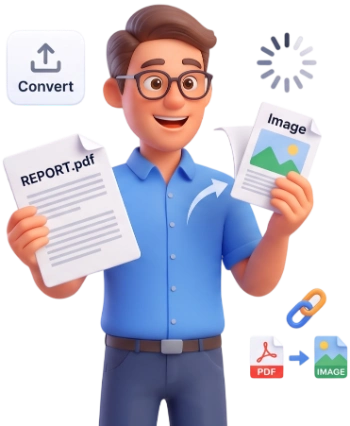
Step 2: Convert to JPEG
Click Convert to JPEG. Choose a resolution, quality and background, include or skip pages, then export each page as its own JPEG.
 3
3
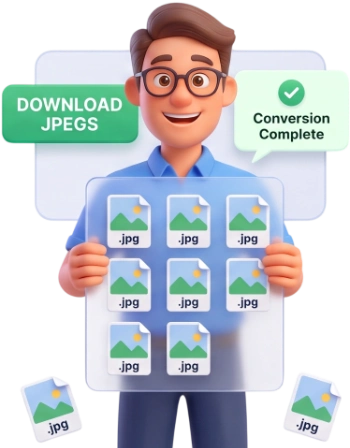
Step 3: Download Your Images
Download each JPEG individually or use Download All (ZIP) to grab every page at once in a single compressed folder.
Frequently Asked Questions
What is the maximum PDF file size I can convert?
You can convert PDFs up to 500 MB per file. For larger documents, compress the PDF first and then convert it.
Are my files uploaded to a server, or is everything private?
Everything happens locally in your browser. Your PDF never leaves your device and nothing is stored or uploaded.
Can I convert a PDF on my phone or tablet?
Yes. The converter works in any modern mobile browser, so you can export JPEGs on a smartphone or tablet without installing anything.
Is this tool free, and do I need an account?
It is completely free. No account, no login, no watermark, and no hidden fees, just upload, convert, and download.
Is JPEG a lossy format? Will my pages lose quality?
JPEG uses lossy compression, so there is a small trade-off. Pixia lets you choose the resolution and quality, so you can keep pages sharp or make the files smaller.
How do quality and file size compare?
Higher quality means more detail and a larger file; lower quality shrinks the file but can soften fine lines. Move the quality slider to find your balance.
Can I export all pages of a multi-page PDF?
Yes. Every page becomes its own JPEG, named like yourdocument-page-1.jpg, page-2, and so on. Use Download All (ZIP) to get them all at once.
Can I convert only specific pages?
Yes. After the PDF loads, every page appears as a thumbnail and you can click any page to include or skip it. Use All, None or Invert to change the selection quickly.
What is the resolution of the JPEG images?
You choose: 72, 150, 300 or 450 DPI. Higher settings render the page at a larger scale for sharper, print-friendly images, while lower settings keep the files small.
Can the JPEG files be edited like a PDF?
No. JPEG is a flat image, so the text and layout become part of the picture. Use PDF to Word or an OCR tool if you need editable text.
Convert PDF to JPEG Free
Turn every page into a JPEG in seconds, no signup, no watermarks, completely free.
Convert My PDF to JPEG